Online Users
The Online Users feature lets backoffice editors see who else is currently active, making it easier to coordinate content work and avoid conflicts before they happen.
Header App
Section titled “Header App”When Online Users is enabled, a user count indicator appears in the top bar of the Umbraco backoffice (the header app area, alongside any other header apps).
- The count shows the total number of active backoffice editors, including yourself.
- The indicator updates in real-time as editors connect or disconnect.
- If you are the only editor online, the count shows 1.
Online Users Modal
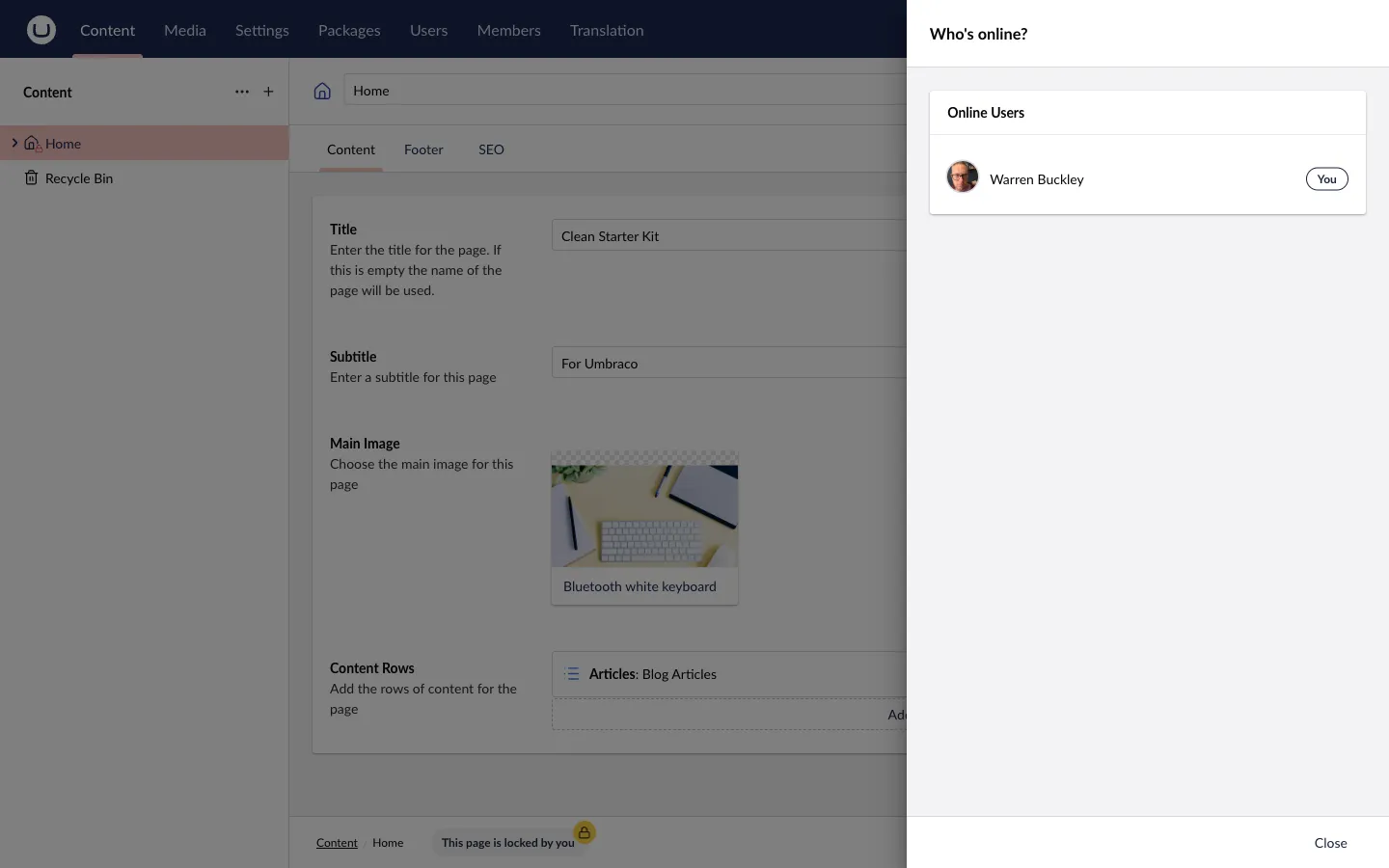
Section titled “Online Users Modal”Clicking the header app opens the “Who’s online?” modal, which lists every currently active backoffice user by name.
- Your own name is marked with a (You) label.
- Other users are listed with their display names.
- If the Audio Calling feature is enabled, each user has a Call button next to their name (or a “On a call” indicator if they are already in a call).
Sound Notifications
Section titled “Sound Notifications”Sound notifications are enabled by default and require no configuration. When enabled, ContentLock plays audio cues when editors connect or disconnect:
Login sound — plays when a new editor connects to the backoffice.
Logout sound — plays when an editor disconnects (closes the tab or logs out).
The default sounds are bundled with the package. You can replace them with your own files via configuration — see Online Users Configuration.
Enabling / Disabling
Section titled “Enabling / Disabling”Online Users is enabled by default and requires no configuration. It can be toggled on or off without restarting the application. When you change OnlineUsers.Enable in appsettings.json, the setting is pushed to all connected clients via SignalR and takes effect immediately.
{ "ContentLock": { "OnlineUsers": { "Enable": false } }}When disabled, the header app count and the online users modal are hidden for all editors.
Screenshots
Section titled “Screenshots”
Related
Section titled “Related”- Audio Calling — make voice calls to online editors
- Online Users Configuration — sounds, custom audio files